Affiliate Program
INCLUDED IN ADVANCED AND ENTERPRISEBETA

Affiliate Program

From application to payout for partners and influencers, in one panel

Give each partner their own referral link, QR code and coupon; sales match on that trail and commissions are calculated by your rules. It is in beta and works with IdeaSoft stores through the Commerce Up CRM.
Inside the panel

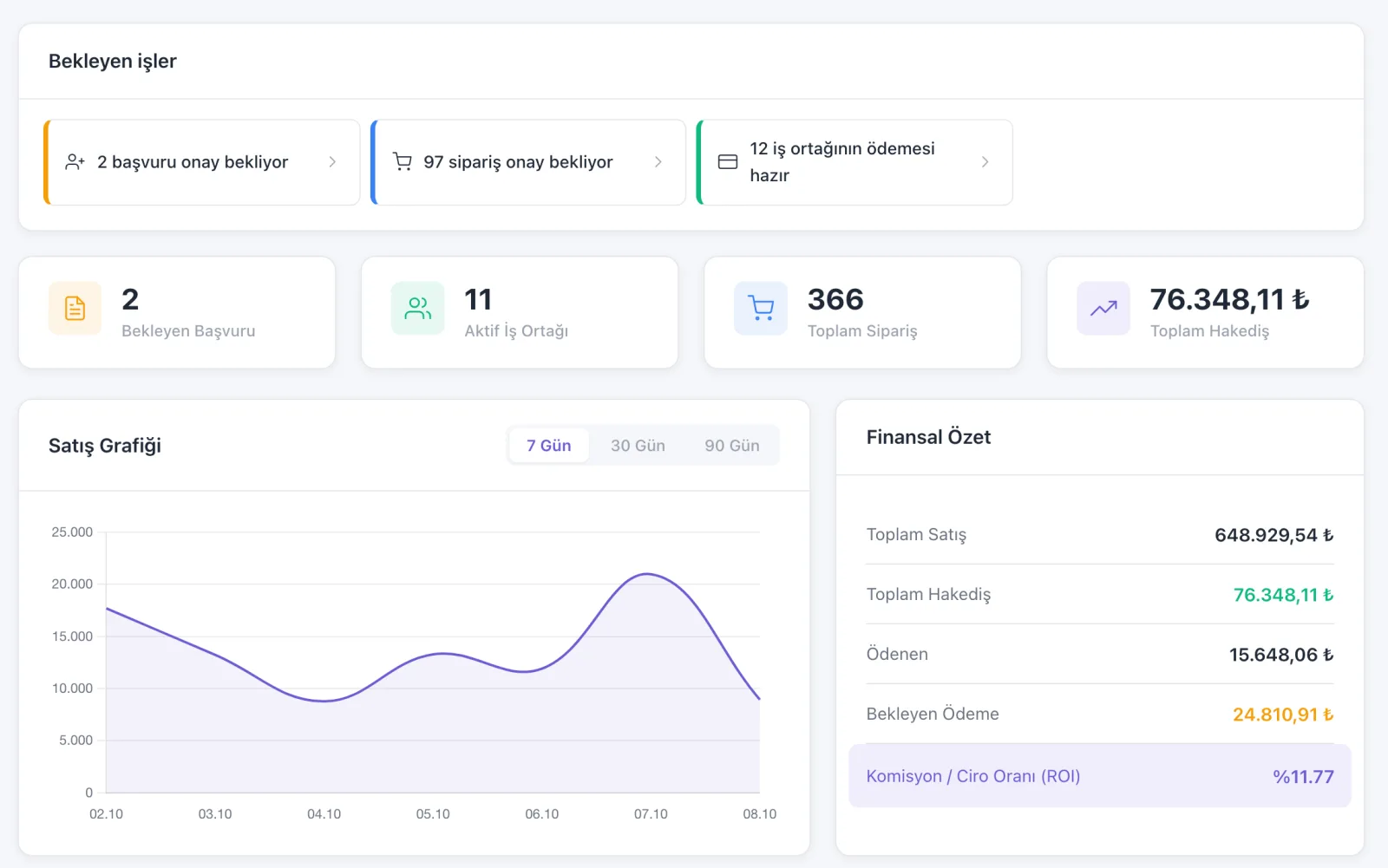
Affiliate management panel
Store side: applications, partners and payouts in one panel. Sample data.
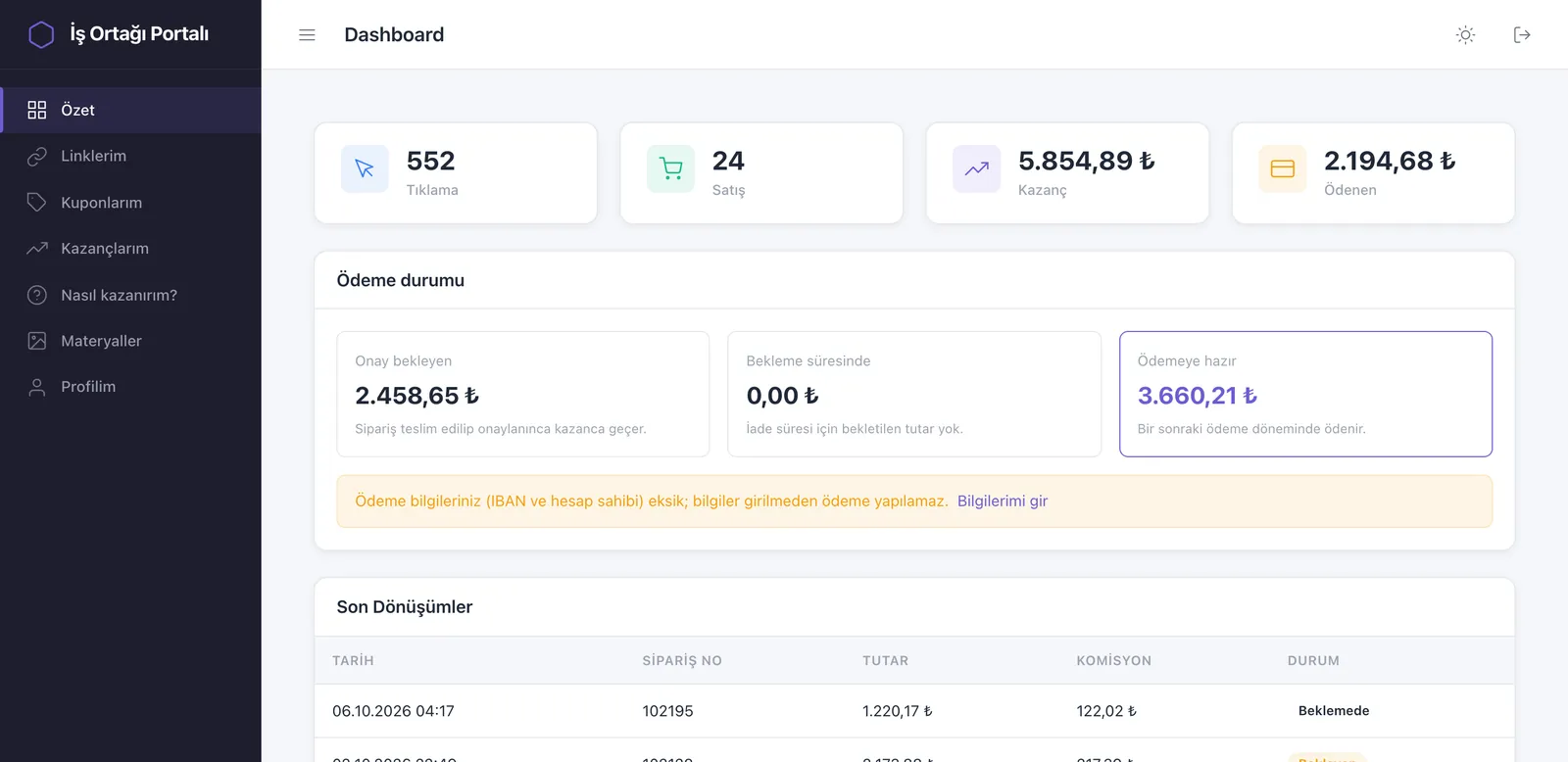
Partner portal: clicks, sales, earnings and payout status
The partner’s own portal: clicks, sales, earnings and payout status. Sample data.

From application to payout

The program runs in four steps, all managed from the same panel.

Application

A partner joins

They apply through a widget on your store or a portal; you approve by hand or by rule.

Link and coupon

They get their own trail

A referral link, a QR code and a coupon code. The coupon is created in IdeaSoft on approval.

Matching

The sale is credited

Orders match by coupon, referral code or persistent link; no commission applies outside the rules.

Payout

Payment is tracked

A payable amount appears after the holding period and delivery condition; you process it with store points or a bank transfer.

What's in your program

groups

Applications and approval

Partners apply through a widget on your store or a portal. You approve by hand or by rule, and collect contract acceptance too.

sell

Link, coupon and QR

Each partner gets a short referral link, a coupon code and a QR code. The coupon is created in IdeaSoft on approval; partners make their own share images.

payments

Commission rules

Set rates per brand, category or product. No commission is applied outside the rules.

monitoring

Who brought the sale

Orders are credited to a partner by coupon, referral code or a persistent link. Follow it in summary, geographic, funnel and per-partner reports.

shield

Suspicious activity checks

Suspicious transactions are listed separately, so your commission budget goes to real sales.

dashboard

A portal of their own

Partners see their links, sales, earnings and payout status in their own panel. You don't answer “how much did I make this month” any more.

Setting up the program

1

Set up the program

One click from your dashboard, then define your commission rules.

2

Invite partners

Collect and approve applications, hand out links and coupons.

3

Track earnings

See who brought what, process the payout and follow it in the panel.

Common questions

Which plan includes it?expand_more

It is included in the Advanced and Enterprise plans and is not sold separately.

Why is it in beta?expand_more

The core flow works and some areas are still in development. Your feedback sets the priorities.

Which stores does it work with?expand_more

Only IdeaSoft stores for now, connected through the Commerce Up CRM.

How do I set the commission?expand_more

Define rates per brand, category or product. No commission is applied outside the rules.

Are payouts made automatically?expand_more

No. A payable amount is created after the holding period and delivery condition; you process the payout with store points or a bank transfer and track it in the panel. There is no automatic bank payment.

Can my partner see their own data?expand_more

Yes. Partners have their own portal where they follow their links, sales, earnings and payout status.

Already in your plan

Not sold separately. Install it from your dashboard in one click and start today.