IN EVERY PLAN

Widget Gallery

Ready-made sales tools, no code

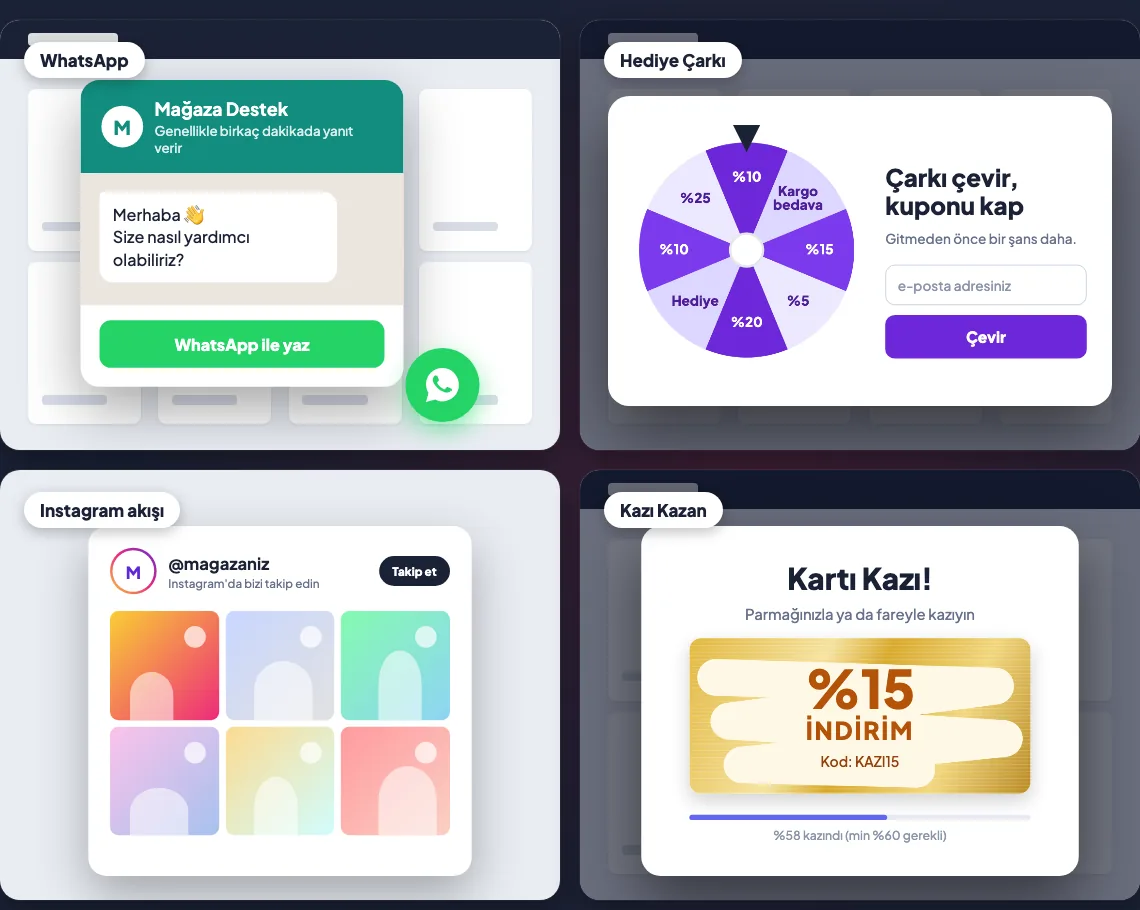
Prize wheel, scratch card, exit popup, WhatsApp, Instagram feed, social proof and counters: more than 28 ready-made tools. Pick a template, match colours and copy to your brand, and publish in one click.

Widget Gallery: sample WhatsApp, Prize Wheel, Instagram feed and Scratch Card tools
Samples from the gamification and engagement tools. Drawn scenes (sample), Turkish interface.

What's in the gallery

Tools are grouped by purpose. Gamification and exit tools first, then communication, trust and urgency.

Gamification

Prize Wheel Scratch Card Balloon Pop Gift Box Product Quiz

Exit and win-back

Exit Intent Popup Tab Recovery

Communication

WhatsApp Chat WhatsApp Button Instagram Feed Social Media Tab Video Stories

Trust and social proof

Social Proof Social Proof Pro Site Reviews Brand Slider Cookie Consent

Urgency and counters

Urgency Timer Stock Counter Countdown to Shipping Free Shipping Bar

Sales and navigation

Smart Search Inspiration Hotspots Animated Announcement Bar Sticky Add to Cart Banner Studio Product Badge Mobile Menu Bar Back to Top

Tools that move visitors to a sale

redeem

Gamification

Prize wheel, scratch card, balloon pop and gift box. Visitors win a coupon while having fun, and you collect their contact details.

logout

Exit popup

Show a special offer or coupon when a visitor is about to leave, so you get one more chance before they go.

chat

WhatsApp and Instagram

A WhatsApp chat box and button let visitors message you in one tap. The Instagram feed appears as a grid on your store.

verified_user

Social proof

Build trust with new visitors through purchase notifications, site reviews and a brand strip.

timer

Counters

Urgency timer, stock counter, countdown to shipping and a free shipping bar make campaign time and remaining stock visible.

search

Smart search and recommendations

Smart search helps visitors find what they want quickly. Product recommendation showcases (frequently bought together, best sellers, recently viewed) are in the Enterprise plan.

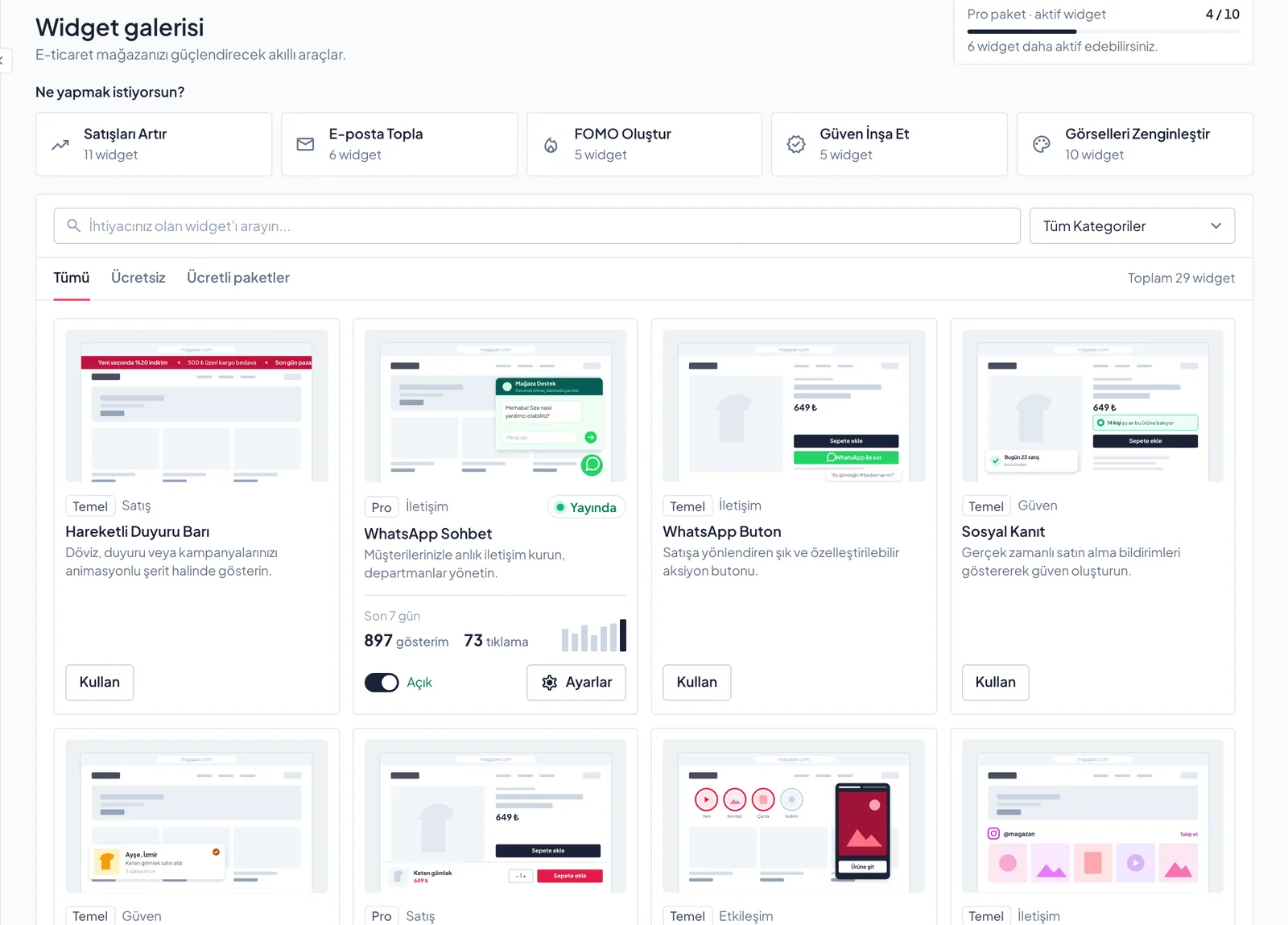
Inside the panel

Widget Gallery panel: categories, search and an on/off switch for each tool
The gallery: groups by need, search and an on/off switch for each tool. Panel screenshot, sample account, Turkish interface.

Pick, tune, publish

1

Pick a tool

Open the tool that fits your goal from the gallery, then one of its ready-made templates.

2

Match your brand

Edit colours, copy and look to fit your store. Desktop and mobile views can be set separately.

3

Publish

Switch it on in one click. Follow impressions and clicks in the panel and turn it off any time.

What each plan includes

Included in every plan, not sold separately. Some advanced tools unlock in higher plans; the gallery shows each tool's plan.

Basic Pro Advanced Enterprise
Active tools at once 3 10 50 Unlimited
Monthly views 1,000 50,000 250,000 1,000,000

Common questions

Do I need to write code?expand_more

No. Tools are added to your store as an extra layer and do not change your theme files. If you uninstall the app, the tools disappear from the storefront.

Does it work on mobile?expand_more

Yes. Tools can be edited separately for desktop and mobile.

Which plan has product recommendations?expand_more

Product recommendation showcases are in the Enterprise plan; they draw on your store's CRM catalogue and sales.

How many tools can I use?expand_more

The number of tools active at once depends on your plan; see the table above.

Ready in your plan

Open your account, pick your first tool from the gallery and go live today.