
INCLUDED IN ADVANCED AND ENTERPRISE
Leadrop
A form and landing page builder
A form, a survey or a full-page sign-up screen: open one of 109 templates and change it. Or describe what you want and let AI build it.
A form and landing page builder
A form, a survey or a full-page sign-up screen: open one of 109 templates and change it. Or describe what you want and let AI build it.
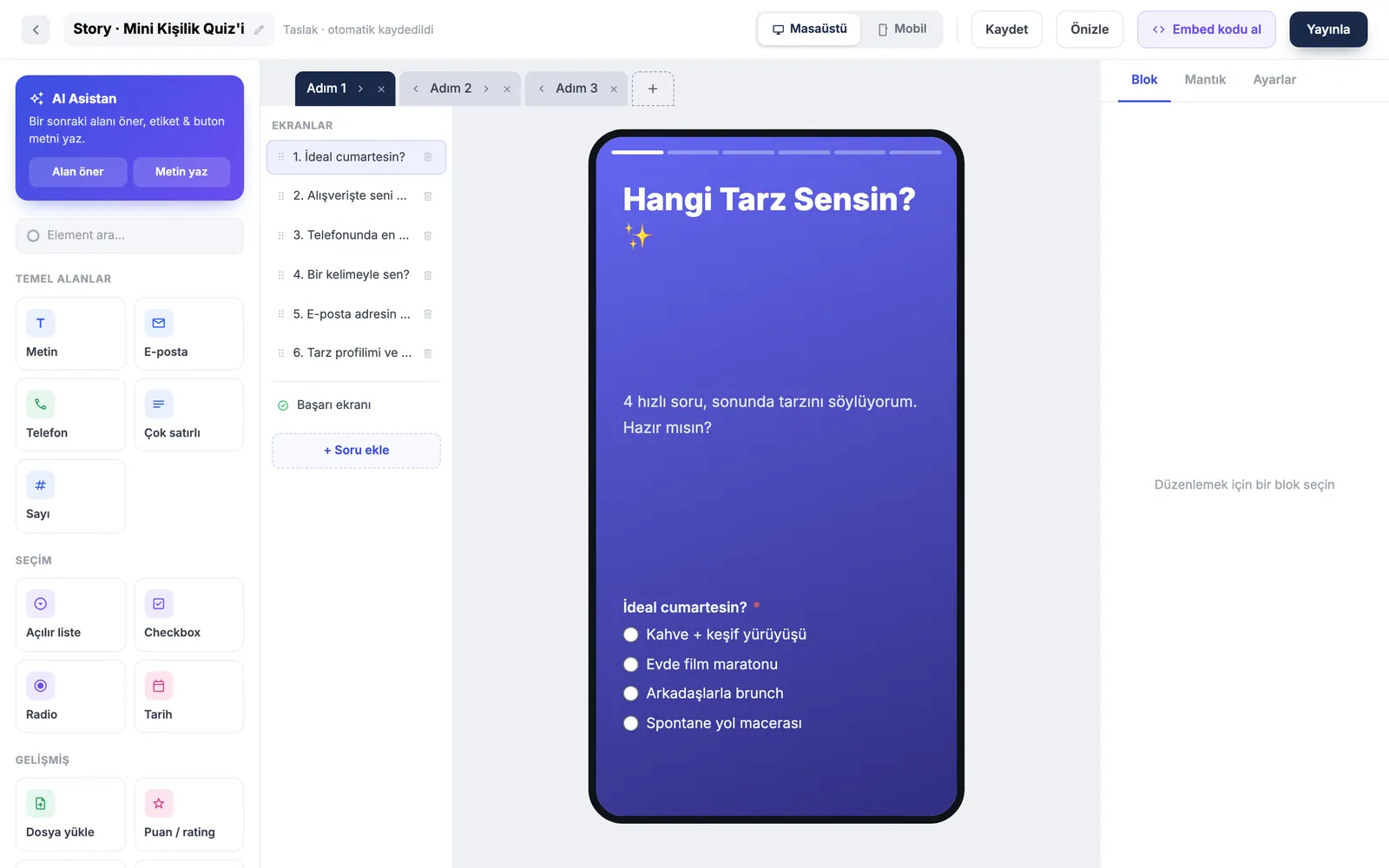
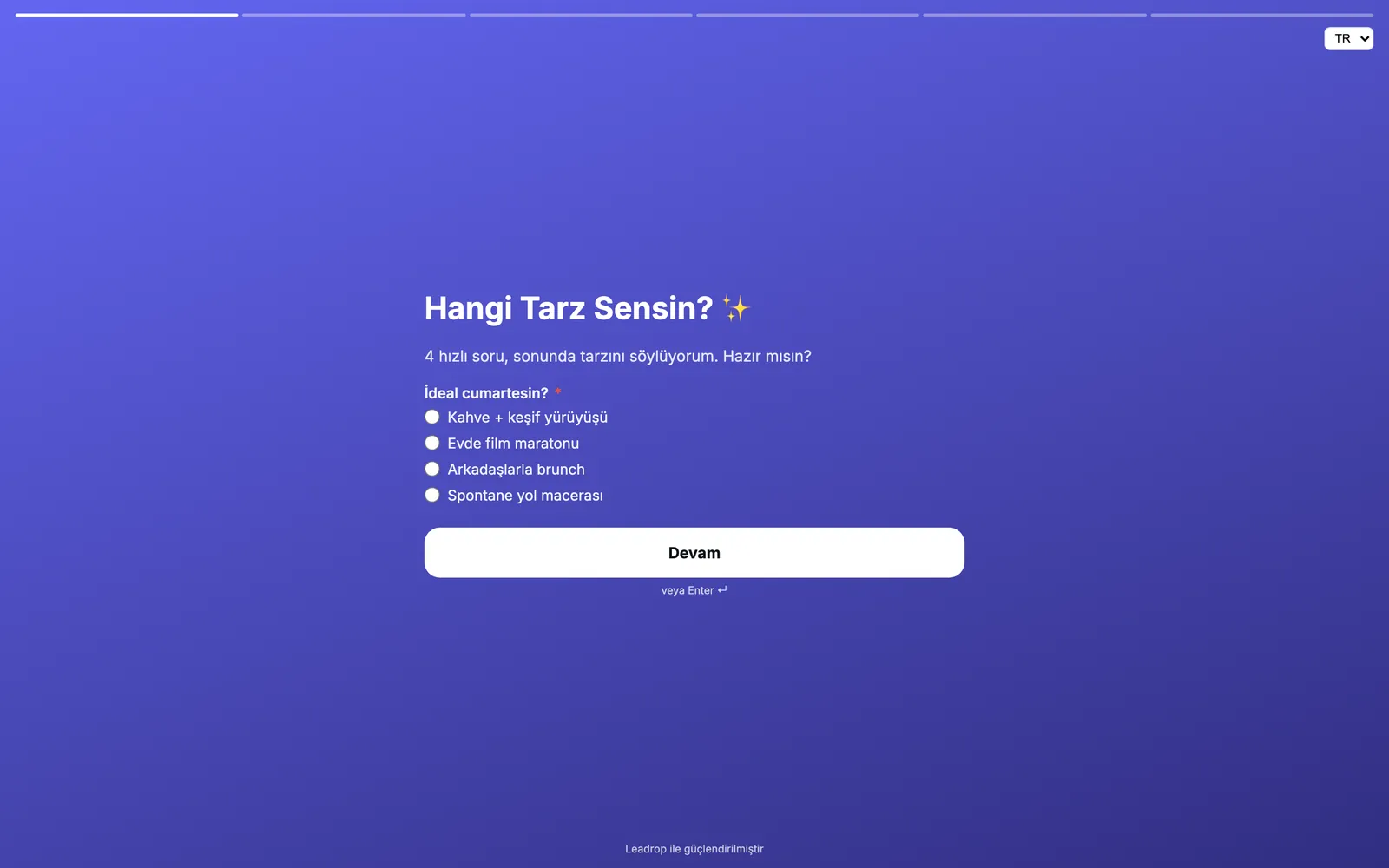
21 field types, including signature, matrix, appointment and rating. Lay the form out as a card, a full page or an Instagram-story screen.
Describe what you want and get a draft form. Copywriting and logic-rule generation are there too.
Show the tax number field when "business" is picked. Show fields, calculate values and redirect based on conditions.
Tag responses, add notes, act in bulk. Export CSV or XLSX, filter out spam and run a prize draw.
How many saw the form, started it and submitted it. See which step they left on and the average time taken.
Share with a short link and QR code, embed with one line of code, or publish it directly as a landing page.
The field you need is probably already here.
Media storage is the same on both plans: 200 files, 100 MB.
| Advanced | Enterprise | |
|---|---|---|
| Forms | 100 | Unlimited |
| Responses per month | 25,000 | Unlimited |
| Media | 200 files / 100 MB | 200 files / 100 MB |
| AI generation, webhooks, REST API and KVKK tools | Included | Included |
Pick one of 109, or describe it to the AI.
Drag the fields, set the conditions, split it into steps.
Link, QR or embed code. Responses start landing in your panel.
It is included in the Advanced and Enterprise plans and is not sold separately.
Three ways: a permanent link (short link and QR code included), a one-line embed snippet, or publishing it directly as a landing page.
On multi-step forms the partial response is saved and the visitor can be emailed a link to resume. Analytics shows which step they left on.
Yes. Webhooks are signed and retried six times with increasing delays on failure; you can view delivery history and resend by hand. Slack, Discord, Zapier and Make connect with a webhook URL. You can also pull forms and responses through the REST API.
Find responses by email and export them as JSON, delete or anonymize them. With a per-form retention period, expired records are deleted or anonymized daily. Spam protection uses a honeypot and optional reCAPTCHA.
Not sold separately. Install it from your dashboard in one click and start today.